 Winbox
What Winbox's Referrer Field Actually Asks For
Before Winbox's registration form shows any account fields, it asks for a referrer's UID or email. This page explains what that step looks like and what your options are if you don't have one — it isn't a referral code page for this site.
The screen, as checked directly
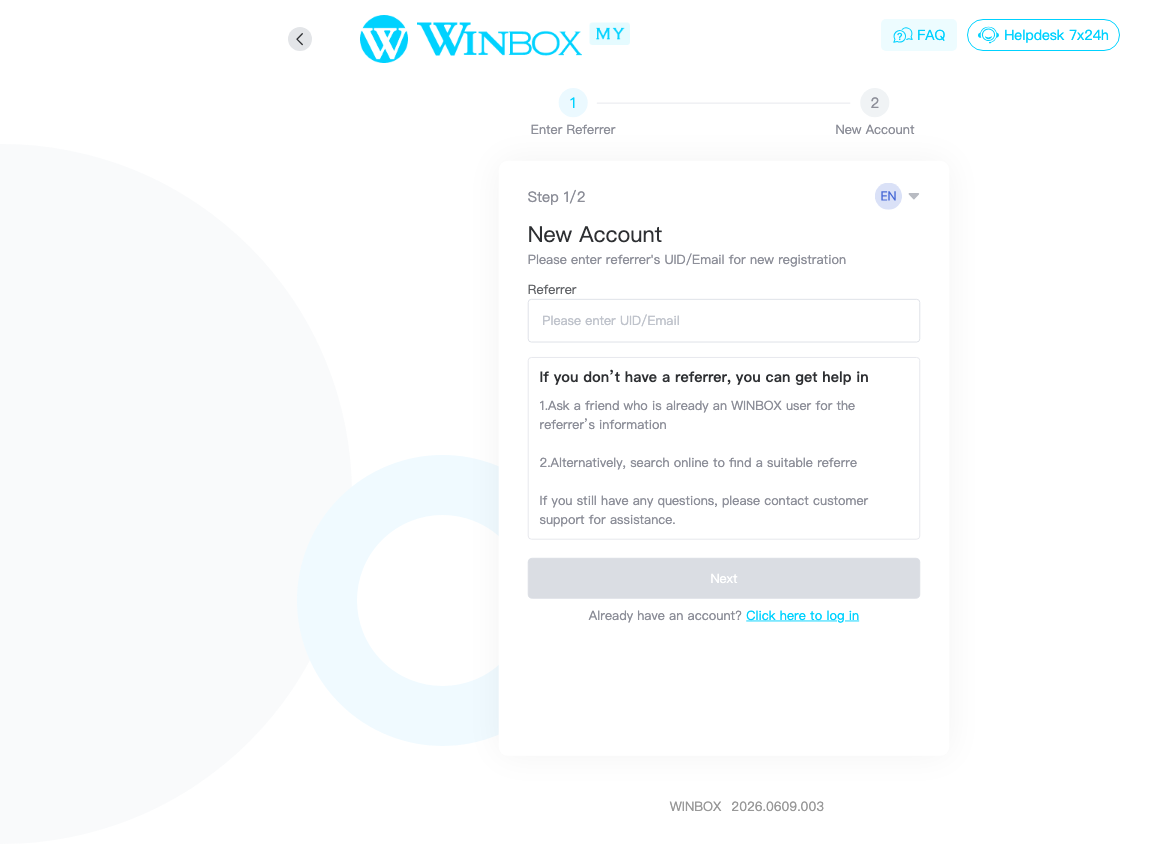
Checked on h5.wbwin06.com on 25 September 2026: opening Winbox register and starting a new sign-up leads to a two-step form. Step 1 of 2 is titled “Enter Referrer,” asking for the referrer's UID or email before any account details appear.
The Next button on that screen stays disabled until the field has something in it.
If you don't have a referrer
The form itself suggests three things, quoted directly from that screen:
- Ask a friend who's already a Winbox user for their referrer information.
- Search online to find a suitable referrer.
- Contact customer support if you still have questions.
The app offers a scan option too
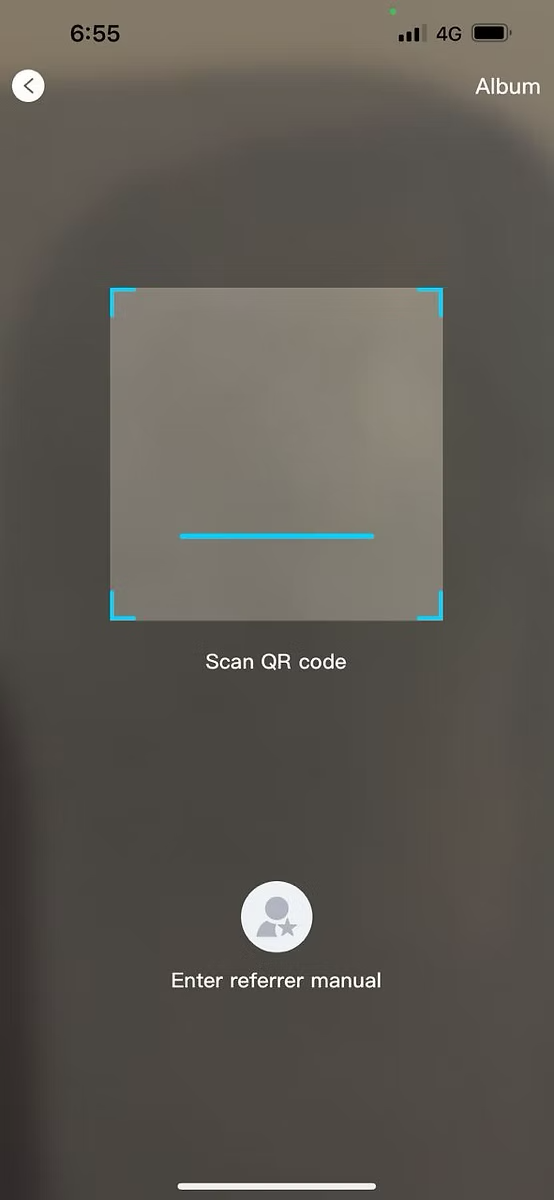
The browser form checked above asks you to type a referrer in. A separate capture of Winbox's native app shows the same step offering a second route: a QR scanner screen, with “Enter referrer manual” as a fallback underneath the viewfinder. Which route your own screen offers can depend on whether you're using the app or a browser.
From an older app capture (version 2021.1019.004) — included for the QR option it shows, not as a guarantee of your current app's exact layout.
What this site is, in this context
winbox88me.com is an independent information resource, not the Winbox platform and not an account holder within it. Pages that promote a specific referrer UID or QR code are running their own referral arrangement with the platform — this site doesn't do that, so nothing here changes what a new account gets, and no reward or bonus is implied by registering after reading this page.
Next steps
For the rest of the sign-up form, step by step, see the register tutorial. Already have an account? Log in to Winbox instead — the referrer step only appears during sign-up. Once registered, the Winbox app is one way to keep using the account you just created. General information about the platform starts from the Winbox88 homepage.
Common questions
Does winbox88me.com have its own referral code?
No. This site is independent of Winbox and doesn't operate an account, so it has no referral code or link to offer. The referrer field is for a real Winbox user's UID or email, not something this site can supply.
Can I register without a referrer?
This page can't confirm that either way. The form itself offers guidance for users without one — asking an existing user, searching online, or contacting support — rather than a skip option.